
Applications
 Part of the Oxford Instruments Group
Expand
Collapse
Part of the Oxford Instruments Group

Technical Article
Author: Andor Support Team
Published: 01 Apr 2022 · Last updated: 19 Apr 2022
Tags: support-resource
Products Applicable – All Andor cameras
Software Applicable – Andor SOLIS
The steps below outline the procedure to configure Andor SOLIS software to allow control of a supported non- Andor spectrograph.
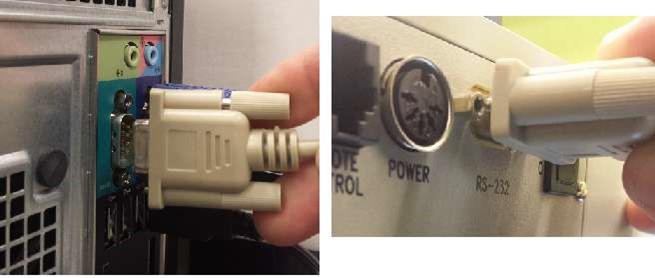
Figure 1 - RS232 Cable being attached to both PC and spectrograph
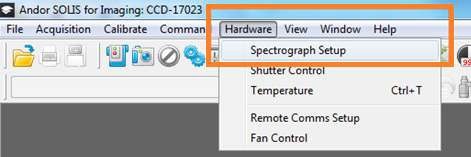
Figure 2
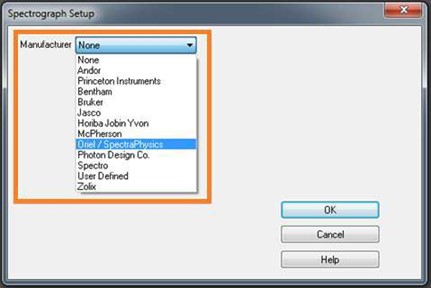
Figure 3
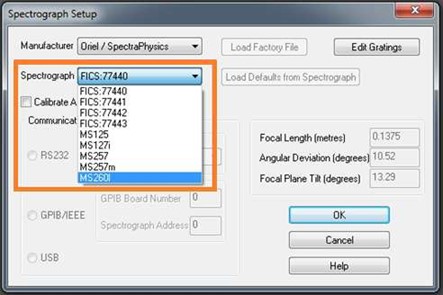
Figure 4
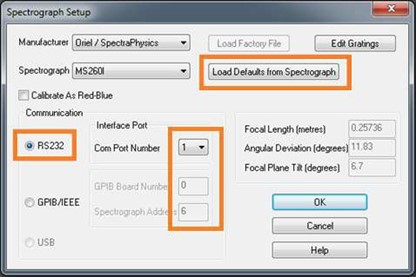
Figure 5
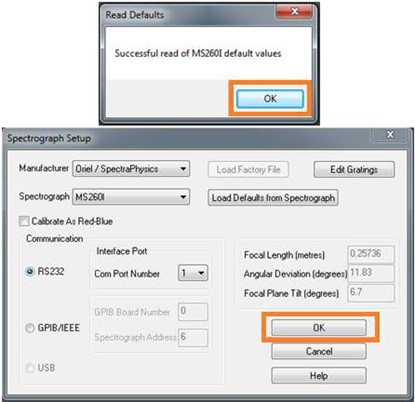
Figure 6
If you require any further assistance, please contact your local Andor Support Representative. Support - Andor - Oxford Instruments (oxinst.com)

© Oxford Instruments 2026